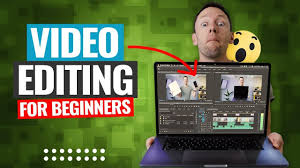

Video Editing for Beginners is an important skill in today’s digital world. It is used for YouTube videos, social media content, online courses, and marketing. Learning video editing for beginners helps new creators turn raw footage into professional and engaging videos.
This article explains video editing basics in simple words for beginners.
What Is Video Editing?

Video editing means cutting, arranging, and improving video clips to create a final video. It includes adding music, text, effects, and transitions to make videos more attractive.
Good editing improves video quality and viewer engagement.
Basic Tools for Video Editing
Beginners should start with simple and easy tools. Popular beginner-friendly tools include CapCut, Filmora, iMovie, and Adobe Premiere Rush.
Using easy tools helps beginners learn faster and edit confidently.
Understanding the Editing Timeline
The timeline is where all video clips, audio, and effects are arranged. Learning how the timeline works is very important for beginners.
A clean timeline helps create smooth and organized videos.
Cutting and Trimming Clips

Cutting and trimming remove unwanted parts from a video. This makes the video shorter, clearer, and more engaging.
Clean cuts improve video flow and viewer experience.
Adding Text and Titles
Text and titles help explain information in videos. Beginners can add simple titles, subtitles, or captions.
Text improves clarity and keeps viewers interested.
Using Transitions and Effects
Transitions connect clips smoothly. Effects enhance video style but should be used carefully.
Simple transitions make videos look professional without distraction.
Adding Background Music and Sound
Sound is a key part of video editing. Background music and sound effects improve mood and quality.
Always balance music volume so the voice remains clear.
Color Correction Basics
Color correction improves brightness, contrast, and colors. Beginners should learn basic adjustments to make videos look clean and natural.
Good colors make videos more attractive.
Exporting the Final Video
After editing, export the video in the right format and quality. Choose the correct resolution based on where the video will be shared.
Proper export settings ensure good video quality.
Practice and Improve Skills
Practice is the best way to learn video editing. Editing regularly helps beginners gain confidence and improve speed.
Learning from tutorials and feedback also helps.
Conclusion
Learning video editing for beginners is a great step toward creating high-quality content. By understanding basic tools, cutting clips, adding text, music, and simple effects, beginners can create professional-looking videos.
Start simple, practice daily, and keep improving your editing skills.