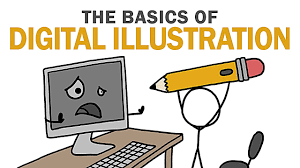

Digital Illustration Basics is a modern form of art created using digital tools instead of paper and pencil. It is widely used in books, games, websites, mobile apps, advertising, skill and social media. Learning digital illustration basics helps beginners understand how to create artwork using tablets, computers, and design software.
This article explains digital illustration basics in simple English for beginners who want to start their creative journey.
What Is Digital Illustration?

Digital illustration is the process of creating drawings and artwork using digital devices such as graphic tablets, iPads, or computers. Artists use special software to draw, color, and edit illustrations digitally.
Unlike traditional art, digital illustration allows easy editing, undo options, and faster work.
Tools Required for Digital Illustration
To start with digital illustration basics, you need some basic tools. A drawing tablet or iPad with a stylus is commonly used. Some beginners also start using a mouse, but a stylus gives better control.
You also need illustration software such as Adobe Illustrator, Photoshop, Procreate, Krita, or Clip Studio Paint. These tools help you draw, color, and manage layers easily.
Understanding Canvas and Resolution
Canvas is the digital drawing area where you create your illustration. Resolution refers to the quality of the image, usually measured in DPI.
For beginners, using a higher resolution canvas helps create clear and professional artwork, especially for printing or online use.
Learning Basic Drawing Skills

Even in digital illustration, basic drawing skills are important. Understanding shapes, lines, and proportions helps create better artwork.
Practicing simple sketches improves hand control and drawing confidence.
Using Layers Properly
Layers are one of the most important digital illustration basics. Layers allow artists to separate sketches, line art, colors, and details.
Using layers makes editing easier and keeps artwork organized.
Line Art Basics
Line art is the clean outline of a drawing. Good line art makes illustrations look neat and professional.
Beginners should practice drawing smooth and confident lines using simple brushes.
Coloring Techniques
Coloring is a major part of digital illustration. Artists use color palettes to keep colors balanced and attractive.
Learning shading, highlights, and blending helps make illustrations look more realistic and appealing.
Brushes and Their Uses
Digital illustration software offers different types of brushes. Each brush creates a different effect.
Beginners should start with basic brushes and slowly experiment with textures and styles.
Understanding Light and Shadow
Light and shadow add depth to illustrations. Knowing where light comes from helps place shadows correctly.
This skill makes digital illustrations look more realistic and professional.
Simple Composition and Backgrounds
Composition means arranging elements properly in an illustration. A good composition guides the viewer’s eyes.
Beginners should keep backgrounds simple and focus on the main subject.
Saving and Exporting Artwork
After completing an illustration, saving it in the correct format is important. PNG and JPEG are common for online use, while PSD keeps layers for future editing.
Proper exporting ensures good quality artwork.
Practice and Improvement
Practice is the key to mastering digital illustration basics. Regular drawing improves speed, creativity, and confidence.
Learning from tutorials and studying other artists also helps beginners grow.
Conclusion
Learning digital illustration basics is the first step toward becoming a digital artist. By understanding tools, layers, line art, coloring, and composition, beginners can create beautiful digital artwork.
Start simple, practice daily, and keep learning new techniques to improve your digital illustration ski